

Hot Water Circulation & Heat Pump Control
Hot water the moment the tap opens — without running the pump all day.
A hot water line that is not circulating goes cold between uses, so the first thirty seconds at every tap go down the drain. The usual fix is to run the circulation pump continuously, which keeps the water hot and quietly burns energy around the clock. A monitored loop does neither: it watches the return temperature and runs the pump only when the loop actually needs it.
Hot water circulation system · heat pump monitoring · temperature automation

Step 1 of 7
The system
Cold water under pressure fills a pressurised hot water vessel. A heat pump keeps the vessel hot through its own circulation loop. Hot water leaves the top for every floor, and a return line brings the loop back — so hot water is waiting at each tap.
Read the tour as text
- 1. The system. Cold water under pressure fills a pressurised hot water vessel. A heat pump keeps the vessel hot through its own circulation loop. Hot water leaves the top for every floor, and a return line brings the loop back — so hot water is waiting at each tap.
- 2. Cold in at the bottom, hot out at the top. Cold water at line pressure enters low in the vessel; hot water leaves from the top, where it is hottest. Because the vessel is pressurised, every tap gets hot water at the same pressure as the cold.
- 3. The heat pump charges the vessel. The heat pump’s circulation pump draws the cooler water from the bottom of the vessel, the heat pump heats it, and it goes back in near the top. The Heat Pump Controller inside the heat pump runs the compressor, the fan and the pump as one plan.
- 4. Sensors at the top and the bottom. Two temperature sensors read the vessel at the top and the bottom, and their cables run into the heat pump’s controller. It heats to the set temperature — here 50 °C — within a band, and when the top runs much hotter than the bottom it runs the circulation pump to mix the vessel.
- 5. At temperature — a staged stop. With the vessel at its set temperature the heat pump stops in stages: the compressor first, then the circulation pump, then the fan — so nothing is stopped hard.
- 6. One panel for the loop. The recirculation pump on the return line has its own APCON Motor Driver in a closed panel on the wall. Every cable enters from the bottom: the supply, a flow switch in the hot line, the return temperature sensor on the hot line, just before the return and the taps branch off it, and one cable out to the pump. Between uses, the water standing in the line cools.
- 7. A tap opens — hot in seconds. A tap opens upstairs. The flow switch tells the Motor Driver, and the recirculation pump moves the cooled water in the line back to the vessel’s inlet, so hot water reaches the tap in seconds. Once the return temperature reads hot again the pump stops — it never runs around the clock.
The working drawing
How it works, on one drawing
The same system as a live schematic — every pipe, pump and signal, and what the controller is doing right now.
What makes it work
The parts of the diagram above that are doing the real work.
Adaptive circulation — it runs on flow, not on a clock
A flow sensor in the hot line tells the controller the moment somebody actually opens a tap. The circulation pump starts on that signal and stops shortly after the draw ends. You wait a second or two longer than you would with a loop running around the clock — and in exchange the pump and the standing heat loss stop for most of the day. It is a small compromise in luxury for a large one in energy.
Schedules on top of it
Even adaptive circulation has hours nobody needs it. Set the windows your building actually wants hot water — mornings and evenings for a home, longer for a hotel — and outside them the loop is simply off. No pump run-hours and no standing loss overnight.
The heat source in the same plan
Heat pumps and geysers are monitored on the same platform, so charging the storage vessel and circulating the loop are two halves of one decision rather than two machines competing over the same tank.
The control logic
Hot at the tap in seconds — without a circulation pump running around the clock.
- Return-leg temperature band — the pump runs when the loop has cooled below your comfort band and stops once it recovers
- Flow-triggered circulation: a draw at any tap starts the loop, and it stops shortly after the draw ends
- Schedules layered on top, so the loop is simply off in the hours the building does not want hot water
- Heat pump control in the same plan: a set temperature of 22–50 °C with a 2–6 °C band, in Economy, Normal or Powerful mode
- The backup heater only when it should run — never in Economy, below a temperature you choose in Normal, alongside the compressor in Powerful
- Tank mixing: with sensors top and bottom, the circulation pump stirs the vessel when the top runs much hotter than the bottom
- Anti-cycling and a staged shutdown — compressor first, then the pump, then the fan — so the heat pump is never stopped hard
- The circulation pump keeps its own dry-run and overload protection
What you set
- Set temperature
- Band
- Eco / Normal / Powerful
- Schedule windows
- Flow trigger
- Heater threshold
How it is done
Every step below is a retrofit on the system you already have — no replacement pumps, no civil work.
- 1
Sense the loop, not the clock
A temperature sensor on the return leg tells the controller what the loop is actually doing. That is the difference between a circulation system and a timer that happens to run a pump.
- 2
Run the pump on demand
When the return drops below your comfort band the circulation pump runs; when the loop is hot again it stops. Comfort at the tap without the pump running all day.
- 3
Coordinate the heat source
Heat pumps and geysers are monitored on the same platform, so charging the storage vessel and circulating the loop are two parts of one plan instead of two machines fighting over the same tank.
- 4
See it and set it from the app
Loop temperature, setpoint and heat-source state are live in the app, with schedules for the hours your building actually wants hot water.
What it takes
- Temperature sensors on the storage vessel and the return leg
- Circulation pump on an APCON controller
- Heat Pump Controller on the heat pump — or your existing geyser, monitored on the same platform
- The Devyami app for setpoints, schedules and live loop temperature
What you get
- Hot water at the tap in seconds, not after a minute of waiting
- Water saved that used to be run off cold while waiting
- Circulation pump run-hours cut against continuous running
- Heat source and loop coordinated instead of competing
Controllers that do this
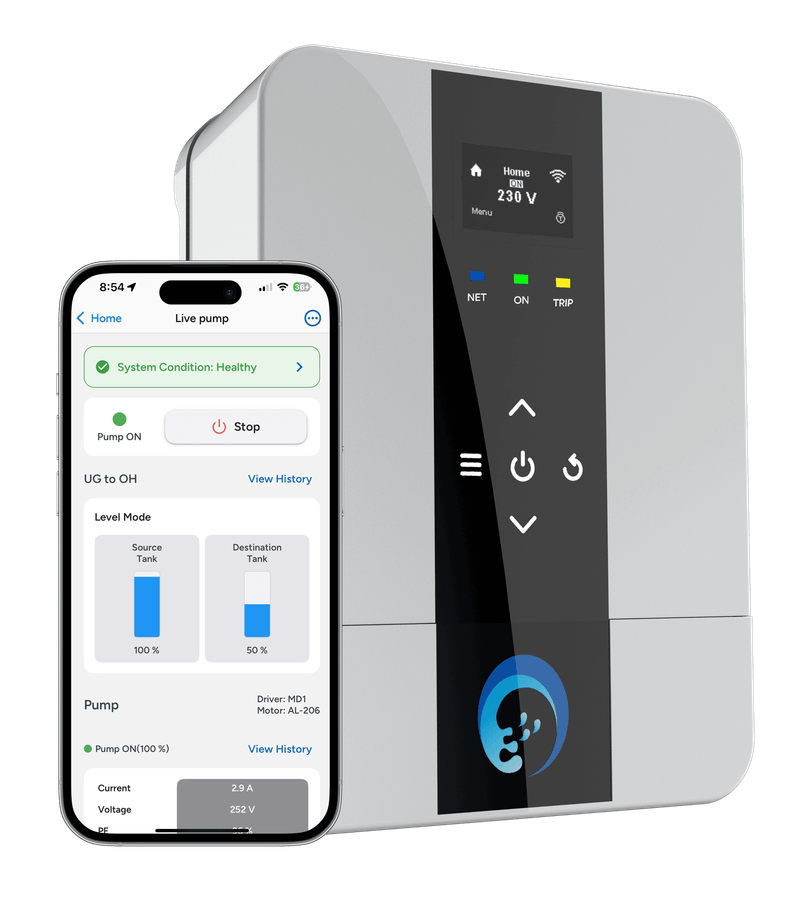
Engineered and built by us — each one the starter, the controller and the protection in a single box.
Questions, answered
Does a circulation pump have to run continuously? +
No — and it should not. Running it around the clock keeps the loop hot but wastes both pump energy and standing heat loss. A monitored loop watches the return temperature and runs the pump only when the loop has actually cooled, which gives the same experience at the tap for a fraction of the run hours.
Can this work with my existing geyser or heat pump? +
Yes. The circulation pump and its sensors are what get controlled; your existing heat source stays, and is monitored on the same platform so the two work to one plan.
More water automation
Every automation runs on the same APCON controllers — and keeps working without the internet.
Tank automation — single & multi-tank
Two ways to read a tank — non-contact ultrasonic on the lid, or a contact hydrostatic level transmitter hanging in the water. Both report live percent and litres, warn you before an overflow or an empty tank, and feed the same reading the controller switches your pumps on.
How it is done →Pressure automation — HPN, PID & VFD
Hydro-pneumatic (HPN) systems keep constant pressure across a whole building: pumps cascade in as demand rises, each start goes to the pump with the fewest starts so the set wears evenly, and a pump that trips is covered by the next. A pressure transmitter on the header puts live line pressure in the app — which pumps are running, pressure trends and every changeover.
How it is done →RO controller
The RO plant’s own numbers on your phone: raw, treated and reject TDS, pH and ORP, flows, the pressures either side of the membrane, and every pump, switch and tank float — with an alert the moment something trips.
How it is done →Water batching control
Digital flow meters turn every pipeline into a number you can manage: litres pumped today, consumption per wing or per site, and totals you can export. Water metering is also your leak detector — flow at 3 AM when everyone is asleep is a leak announcing itself.
How it is done →Timers & schedulers
Garden irrigation, landscape zones and fountains run to a schedule you set once from your phone: start time, run duration, which days, which zone. The controller keeps time locally, skips a cycle when the tank is too low to spare the water, and logs every run.
How it is done →Multi-pump controls
Run two to six pumps as one set of equals: each start goes to the pump with the fewest starts so they wear evenly, extra pumps stage in when demand rises, and the next pump takes over the moment one trips.
How it is done →Pump controls — DOL, star–delta & VFD
DOL, star–delta or a variable frequency drive: how each one starts a pump motor, the starting current it draws, and which one your pump needs — with automation and protection on top of every one.
How it is done →Motor protection
Dry run (with and without a sensor), overload, under load, under and over voltage, phase loss, over-cycling and over-run — nine protections armed on every APCON controller, logged with their cause.
How it is done →More in Smart Water IoT App
Want hot water circulation & heat pump control on your site?
Tell us what your pump room looks like today — we design, retrofit and stand behind the whole system.